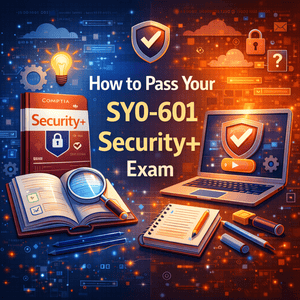
How to Pass Your SY0-601 Security+ Exam
If you’re aiming to break into cybersecurity or level up your IT career, the CompTIA Security+ certification is one of the best starting points. It validates your ability to assess security posture, monitor threats, and respond to incidents—skills that are in high demand across both government and private sectors.
But here’s the truth: passing Security+ isn’t about memorizing definitions—it’s about understanding how security works in real-world environments.
This guide walks you through a proven, strategic approach using top-tier resources like Professor Messer, Mike Meyers, Quizlet, and Jason Dion—plus practical techniques that actually stick.
<h5>Understand the Security+ Exam Objectives First</h5>
Before touching any study material, you need to understand what’s on the exam.
The CompTIA Security+ exam covers core domains such as:
- Threats, attacks, and vulnerabilities
- Architecture and design
- Implementation
- Operations and incident response
- Governance, risk, and compliance
Start by downloading the official exam objectives from CompTIA’s website. Treat this as your blueprint—every topic you study should map back to it.
👉 Helpful resource:
https://www.comptia.org/certifications/security
<h5>Create a Realistic Study Plan (Don’t Wing It)</h5>
A structured plan separates people who pass from those who retake.
Recommended approach:
- Study 1–2 domains per week
- Allocate 1–2 hours daily
- Add weekly review sessions
- Reserve the final 2 weeks for practice exams
Break topics into smaller chunks. For example:
- Instead of “Cryptography,” focus on:
- Symmetric vs asymmetric encryption
- Hashing algorithms
- PKI basics
Consistency beats cramming—every time.
<h5>Use Professor Messer for Clear, Free Video Training</h5>
Professor Messer is one of the best free resources available.
His videos:
- Follow exam objectives exactly
- Break down complex topics into simple explanations
- Are perfect for both beginners and refreshers
How to use effectively:
- Watch actively (not passively)
- Take notes in your own words
- Rewatch weak areas
👉 Watch here:
https://www.professormesser.com/security-plus/
<h5>Reinforce Knowledge with Mike Meyers’ Study Guide</h5>
Mike Meyers’ books are known for making technical topics easier to understand.
What makes it valuable:
- Real-world examples
- Clear explanations
- End-of-chapter quizzes
Pro tip:
Don’t just read—summarize each chapter in your own notes. This helps lock in concepts.
👉 Check it out:
https://www.totalsem.com
<h5>Test Yourself with Jason Dion Practice Exams</h5>
This is where most people either pass… or fail.
Jason Dion’s practice tests are:
- Closely aligned with the real exam
- Scenario-based (just like Security+)
- Great for identifying weak areas
Strategy:
- Take a practice test after each domain
- Review EVERY wrong answer
- Track weak topics
If you’re consistently scoring:
- 85%+ → You’re ready
- Below 75% → Keep studying
👉 Practice exams:
https://www.udemy.com
<h5>Use Quizlet for Active Recall (Memory Hack)</h5>
Reading isn’t enough—you need to actively recall information.
Quizlet helps by:
- Turning concepts into flashcards
- Reinforcing memory through repetition
- Testing you on weak areas
Create flashcards for:
- Ports and protocols
- Acronyms (tons on Security+)
- Security frameworks
👉 Try it here:
https://quizlet.com
<h5>Join Study Groups and Online Communities</h5>
Don’t study alone—this slows you down.
Communities help you:
- Get unstuck faster
- Learn from others’ mistakes
- Stay motivated
Best places:
- Reddit (r/CompTIA)
- Discord study groups
- Tech forums
Sometimes a 5-minute explanation from someone else saves you hours.
<h5>Build a Simple Cybersecurity Home Lab</h5>
Security+ is not just theory—you need hands-on understanding.


4
Start simple:
- Install VirtualBox or VMware
- Run multiple OS (Windows + Linux)
- Practice:
- Firewall rules
- User permissions
- Packet analysis (Wireshark)
This builds real confidence—especially for scenario questions.
<h5>Review and Focus on Weak Areas</h5>
The final weeks are critical.
Do this:
- Rewatch difficult topics
- Retake practice exams
- Review notes daily
Focus on:
- What you don’t know
- Not what you already know
That’s how you level up fast.
<h5>Exam Day Strategy (Don’t Panic)</h5>
On exam day:
Before the exam:
- Sleep well
- Eat something light
- Arrive early
During the exam:
- Read questions carefully
- Flag difficult ones
- Manage your time
Security+ questions are often scenario-based—look for keywords like:
- “BEST solution”
- “FIRST step”
These matter.
Conclusion
Passing the CompTIA Security+ exam isn’t about luck—it’s about strategy.
By combining:
- Structured study planning
- High-quality resources
- Practice exams
- Hands-on labs
…you dramatically increase your chances of passing on the first try.
Stay consistent, focus on understanding (not memorization), and treat this like a mission—not a guessing game.
If you follow this guide step-by-step, you won’t just pass—you’ll actually understand cybersecurity, which is what employers care about most.
If you want a quick look at how to migrate from .NET Core to Blazor and modernize your web apps,
👉 click here for more details