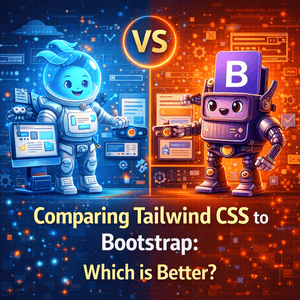
When building modern web applications, choosing the right CSS framework can make or break your development speed, performance, and design flexibility. Two of the most widely used frameworks today—Tailwind CSS and Bootstrap—take very different approaches to solving the same problem: creating responsive, visually appealing user interfaces efficiently.
Both tools are powerful, widely supported, and production-ready. But they differ significantly in philosophy, workflow, and long-term scalability. This guide breaks down everything you need to know—from customization and performance to real-world usability—so you can confidently choose the right framework for your next project.
Design Philosophy: Utility-First vs Component-Based
The biggest difference between Tailwind CSS and Bootstrap lies in how they approach design.
Bootstrap follows a component-based model. It comes packed with ready-to-use UI components like:
- Navbars
- Buttons
- Modals
- Cards
- Forms
You simply drop these into your project and customize them as needed. This makes Bootstrap ideal for quickly spinning up interfaces without designing from scratch.
Tailwind CSS, on the other hand, uses a utility-first approach. Instead of prebuilt components, it provides small, single-purpose classes like:
bg-blue-500text-lgp-4
You build everything manually by combining these utilities directly in your HTML.
👉 Key takeaway:
- Bootstrap = fast, pre-designed UI
- Tailwind = full control, custom design system
Customization and Flexibility
Customization is where Tailwind really starts to stand out.
With Bootstrap, you can customize components using:
- Sass variables
- Overrides in CSS
- Theming tools
However, because Bootstrap has a default “look,” many websites end up looking similar unless heavily modified.
Tailwind CSS offers deep customization out of the box:
- Modify colors, spacing, fonts via
tailwind.config.js - No need to override styles
- Build completely unique UI without fighting defaults
Example in Tailwind:
<button class="bg-blue-500 text-white px-4 py-2 rounded-lg">
  Click Me
</button>
No extra CSS needed.
👉 Why it matters:
Tailwind gives you design freedom, while Bootstrap trades flexibility for speed.
Learning Curve and Developer Experience
Bootstrap is easier for beginners:
- Clear structure
- Prebuilt components
- Tons of tutorials and templates
- Minimal CSS knowledge required
You can build a working UI in hours.
Tailwind CSS has a steeper learning curve:
- Requires understanding utility classes
- Heavy class usage in HTML
- No predefined components
But once mastered:
- Development becomes faster
- Code becomes more consistent
- Easier to maintain design systems
👉 Reality check:
- Beginners → Bootstrap feels easier
- Experienced devs → Tailwind feels more powerful
Performance and File Size
Performance is critical, especially for production apps.
Bootstrap:
- Includes many unused styles by default
- Larger CSS bundle
- Can slow down performance if not optimized
Tailwind CSS:
- Uses purge (tree-shaking) in production
- Removes unused classes automatically
- Results in very small final CSS files
👉 Result:
Tailwind typically produces lighter and faster builds, especially for large applications.
Responsive Design Capabilities
Both frameworks support responsive design—but differently.
Bootstrap:
- Uses a 12-column grid system
- Predefined breakpoints like:
col-sm-12col-md-6col-lg-4
Simple and structured—but sometimes limiting.
Tailwind CSS:
- Uses responsive prefixes:
sm:md:lg:xl:
Example:
<div class="flex flex-col md:flex-row">
👉 This means:
- Column layout on mobile
- Row layout on desktop
👉 Advantage:
Tailwind gives you fine-grained control without relying on rigid grid systems.
Community and Ecosystem
Bootstrap:
- Over a decade old
- Massive ecosystem
- Thousands of templates and themes
- Extremely stable and well-documented
Tailwind CSS:
- Newer but rapidly growing
- Strong developer adoption
- Tools like:
- Tailwind UI
- Headless UI
- DaisyUI
👉 Trend:
Tailwind is gaining popularity fast, especially in modern stacks like React, Next.js, and Vue.
Real-World Use Cases
Use Bootstrap when:
- You need to prototype quickly
- You want ready-made components
- Design uniqueness is not a priority
- You’re working on admin dashboards or internal tools
Use Tailwind CSS when:
- You want full design control
- You’re building a custom UI/brand
- Performance matters
- You’re working with modern frontend frameworks
Developer Productivity and Maintainability
This is where opinions often shift with experience.
Bootstrap:
- Faster initial setup
- Slower long-term customization
- Can lead to CSS overrides and conflicts
Tailwind CSS:
- Slower at first
- Faster over time
- Encourages reusable design systems
- Reduces CSS bloat
👉 Many teams report:
- Cleaner codebases
- Less context-switching between HTML and CSS
My Experience (Real Talk)
If you’re trying to move fast—Bootstrap is hard to beat. You can get something functional and decent-looking almost instantly.
But if you’re building something serious—like a product, SaaS, or portfolio—Tailwind feels like the better long-term investment. You stop fighting styles and start designing exactly what you want.
That said, Tailwind can feel overwhelming at first. There are a LOT of utility classes, and your HTML can look messy until you get used to it.
Conclusion: Tailwind CSS vs Bootstrap
Both Tailwind CSS and Bootstrap are excellent tools—but they serve different purposes.
- Bootstrap excels in speed, simplicity, and prebuilt components
- Tailwind CSS excels in flexibility, performance, and custom design
The “better” framework depends entirely on your project goals, team experience, and design requirements.
If you want a quick look at how to pass the SY0-601 Security+ exam and what to focus on,
👉 click here for more details