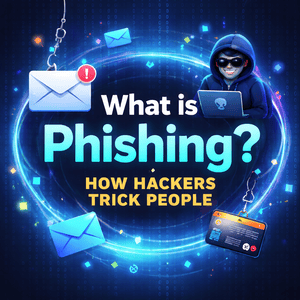
What is Phishing? How Hackers Trick People
Cybercrime is growing at an alarming rate, and one of the most common tactics used by attackers today is phishing. Whether it’s a fake email, a text message, or even a phone call, phishing attacks are designed to trick you into giving away sensitive information.
What makes phishing especially dangerous is how simple—and effective—it is. You don’t need advanced hacking tools to launch a phishing attack. All it takes is a convincing message and a victim who clicks the wrong link.
Even large companies, government agencies, and experienced professionals fall for phishing scams. That’s why understanding how phishing works is critical in today’s digital environment.
In this guide, we’ll break down what phishing is, how attackers operate, common types of phishing scams, and most importantly—how you can protect yourself.
What Is Phishing?

Phishing is a type of cyberattack where criminals impersonate a trusted entity to trick individuals into revealing sensitive data.
The term “phishing” comes from the idea of casting a wide net—attackers send out thousands (or millions) of fake messages, hoping someone will “bite.”
These attacks typically target:
- Passwords
- Credit card information
- Bank account details
- Personal identification data
- Login credentials
Once attackers gain access to this information, they can commit fraud, identity theft, or gain unauthorized access to systems.
For official guidance, visit CISA and NIST.
How Phishing Attacks Work
Phishing attacks may look sophisticated, but most follow a simple structure.
The Fake Message
Attackers send messages pretending to be legitimate organizations such as:
- Amazon
- PayPal
- Microsoft
- Banks and financial institutions
- Social media platforms
- Government agencies
These messages often include official logos, branding, and formatting to appear legitimate.
Psychological Manipulation
Phishing attacks rely heavily on human psychology.
Attackers use urgency, fear, or curiosity to pressure victims into acting quickly:
- “Your account has been locked.”
- “Suspicious activity detected.”
- “Verify your account immediately.”
- “You’ve won a prize!”
This emotional trigger reduces the chance that the victim will think critically.
Fake Websites and Credential Harvesting

Most phishing emails contain links to fake websites that look identical to legitimate ones.
For example, you might receive an email claiming to be from your bank asking you to log in. The page looks real—but it’s controlled by attackers.
Once you enter your credentials, they’re instantly stolen.
Exploitation
After gaining access, attackers can:
- Withdraw funds
- Access private data
- Install malware
- Sell information on the dark web
- Launch further attacks
Victims often don’t realize they’ve been compromised until damage has already been done.
Types of Phishing Attacks
Phishing comes in several forms. Knowing them can help you spot attacks early.
Email Phishing
The most common type. Attackers send mass emails pretending to be companies like Netflix or banks.
Spear Phishing
Targeted phishing aimed at specific individuals. These attacks include personalized details, making them harder to detect.
Smishing (SMS Phishing)
Text message scams such as:
“Your package couldn’t be delivered. Click here to reschedule.”
Vishing (Voice Phishing)
Phone calls from scammers pretending to be:
- Bank officials
- Tech support
- Government agencies
Clone Phishing
Attackers duplicate legitimate emails and replace links or attachments with malicious ones.
Common Signs of Phishing
Even advanced phishing attacks often leave clues.
Suspicious Email Addresses
Look for slight variations in domain names.
Urgent or Threatening Language
Messages that demand immediate action are often scams.
Grammar and Spelling Errors
Poor writing can indicate a phishing attempt.
Suspicious Links
Hover over links before clicking. If the URL looks off, don’t trust it.
Unexpected Attachments
Attachments may contain malware.
Real-World Phishing Incidents
Phishing has impacted even the biggest organizations.
Google and Facebook Scam
Attackers used fake invoices to trick employees, resulting in over $100 million in losses.
Twitter Account Breach
Hackers used phishing techniques to gain access to internal tools at Twitter.
They posted fraudulent cryptocurrency messages from accounts belonging to Elon Musk and Barack Obama.
Colonial Pipeline Attack
A major infrastructure breach that began with compromised credentials—often linked to phishing.
Why Phishing Is So Effective
Phishing works because it targets people—not systems.
Attackers exploit:
- Trust
- Fear
- Urgency
- Curiosity
Even experienced users can be caught off guard.
Phishing is also cheap, scalable, and easy to deploy, making it a preferred method for cybercriminals.
How to Protect Yourself from Phishing
Protecting yourself doesn’t require advanced technical skills—just awareness and good habits.
Don’t Click Suspicious Links
Always verify links before clicking.
Enable Multi-Factor Authentication (MFA)
Even if your password is stolen, MFA can stop attackers.
Verify Requests
Contact organizations directly using official channels.
Keep Software Updated
Regular updates patch security vulnerabilities.
Use Security Tools
Consider:
- Antivirus software
- Email filters
- Browser extensions
The Future of Phishing
Phishing is evolving quickly.
Modern attackers are using:
- AI-generated emails
- Deepfake voice technology
- Realistic fake login pages
- Social media manipulation
These advancements make phishing harder to detect, increasing the need for cybersecurity awareness.
Why Phishing Awareness Matters
Phishing is responsible for a large percentage of data breaches worldwide.
For organizations, a single successful attack can lead to:
- Financial loss
- Data breaches
- Reputation damage
- Legal consequences
For individuals, it can result in identity theft and financial fraud.
Final Thoughts
Phishing remains one of the most widespread and dangerous cyber threats today.
The good news? Most phishing attacks are preventable.
By understanding how phishing works, recognizing the warning signs, and following best practices, you can significantly reduce your risk.
Remember:
If something feels urgent, suspicious, or too good to be true—it probably is.
Stay alert, stay informed, and take control of your cybersecurity.
If you want a quick look at clean code vs overengineering,
👉 click here for more details