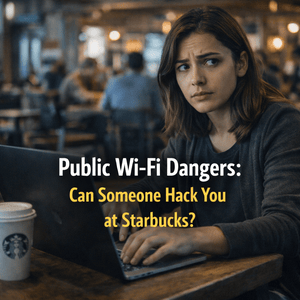
Public Wi-Fi Dangers: Can Someone Hack You at Starbucks?
Public Wi-Fi is everywhere—coffee shops, airports, hotels, even retail stores. It’s convenient, free, and often faster than your mobile data. But here’s the question most people don’t think about:
Is it safe?
If you’ve ever connected to Wi-Fi at a coffee shop like Starbucks, you might assume it’s secure. After all, it’s a trusted brand.
But the truth is… the network itself is usually not the problem. The environment is.
Let’s break down what really happens when you connect to public Wi-Fi—and whether someone can actually hack you while you’re sipping your coffee.
What Is Public Wi-Fi and Why Is It Risky?

Public Wi-Fi is any network that’s open or shared among multiple users in a public space. These networks typically don’t require strong authentication—or any at all.
That’s where the risk comes in.
Unlike your home network, public Wi-Fi:
- Is shared with strangers
- Often lacks encryption
- Can be easily mimicked by attackers
- Has little to no monitoring for malicious activity
In simple terms, you’re connecting to a network where you don’t know who else is on it—and what they’re doing.
Can Someone Actually Hack You on Public Wi-Fi?

Short answer: Yes—it’s possible.
But let’s keep it real—not every coffee shop has hackers lurking around. However, the environment makes it easier for attacks to happen.
Here are the most common ways attackers exploit public Wi-Fi:
Man-in-the-Middle (MITM) Attacks


This is one of the most dangerous types of attacks.
In a Man-in-the-Middle attack, a hacker secretly intercepts communication between you and the website you’re visiting.
That means they can potentially see:
- Login credentials
- Emails
- Credit card details
- Personal messages
You think you’re talking directly to a website—but someone is quietly sitting in between.
Fake Wi-Fi Networks (Evil Twin Attacks)


This one is sneaky.
Attackers create a fake Wi-Fi network that looks legitimate—something like:
- Starbucks_Free_WiFi
- Starbucks_Guest
- FreeCoffeeWiFi
You connect thinking it’s real… but it’s actually controlled by the attacker.
Once connected, they can monitor everything you do.
Packet Sniffing (Data Interception)


On unsecured networks, attackers can use tools to capture data packets traveling across the network.
If the data isn’t encrypted, they can read it like plain text.
This is especially dangerous if you’re:
- Logging into accounts
- Entering personal information
- Accessing sensitive work systems
Session Hijacking


Even if you already logged in securely, attackers can steal your session cookies.
That means they don’t need your password—they can just take over your active session.
Result?
They’re suddenly logged in as you.
What Makes Public Wi-Fi More Dangerous in 2026?

Cybersecurity threats are evolving fast.
Today, attackers use:
- Automated hacking tools
- AI-assisted phishing
- Advanced traffic analysis
- Social engineering tactics
Combine that with more people working remotely—and public Wi-Fi becomes an even bigger target.
Signs You Might Be on an Unsafe Network
You won’t always know you’re being targeted—but there are red flags:
- Multiple Wi-Fi networks with similar names
- No password required
- Frequent disconnects
- Slow or unstable connection
- Unexpected login prompts
If something feels off, it probably is.
How to Protect Yourself on Public Wi-Fi

Here’s how to stay safe without overcomplicating things:
1. Use a VPN (Virtual Private Network)
A VPN encrypts your internet traffic, making it unreadable to attackers.
2. Only Visit HTTPS Websites
Look for the 🔒 lock icon in your browser. This means your connection is encrypted.
3. Enable Two-Factor Authentication (2FA)
Even if your password is stolen, 2FA adds another layer of protection.
4. Avoid Sensitive Activities
Don’t access banking apps or enter sensitive data on public Wi-Fi.
5. Turn Off Auto-Connect
Prevent your device from automatically joining unknown networks.
6. Use a Personal Hotspot When Possible
Your mobile hotspot is usually safer than public Wi-Fi.
Want to Take Your Security Further?
If you’re serious about protecting your data, understanding the bigger cybersecurity picture is key.
This guide breaks down modern threats in a simple way:
👉 https://hitcountbreakpoint.com/top-10-cybersecurity-threats-in-2026/
If you’re learning how attackers exploit web applications, this deep dive is worth checking out:
👉 https://hitcountbreakpoint.com/application-security-testing-2025-user-guide/
And if you want to understand how secure applications are built from the ground up:
👉 https://hitcountbreakpoint.com/asp-net-mvc-architecture-net/
For official cybersecurity guidance and best practices, refer to Cybersecurity and Infrastructure Security Agency.
So… Can Someone Hack You at Starbucks?

Yes—but not in the way movies make it seem.
You’re not automatically getting hacked the moment you connect. But public Wi-Fi creates an environment where attacks are easier to execute.
Think of it like this:
- Home Wi-Fi = locked house
- Public Wi-Fi = open public space
You’re not guaranteed danger—but you’re definitely more exposed.
Final Thoughts
Public Wi-Fi isn’t inherently evil—but it’s not something you should trust blindly.
With the rise of cyber threats in 2026, protecting your data requires a little more awareness and a few smart habits.
The good news?
You don’t need to be a cybersecurity expert to stay safe.
Just remember:
- Use a VPN
- Enable 2FA
- Avoid sensitive logins
- Stay alert
That alone puts you ahead of most people.